
Square Quick Camera1.7 - Google Play
You'll be able to see results in few seconds.
Publisher Description
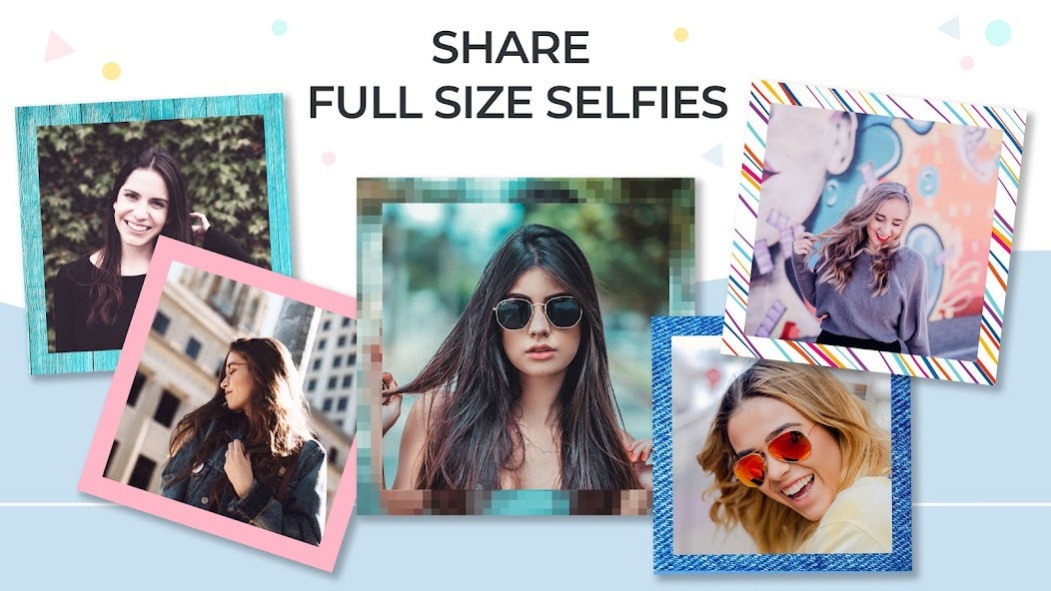

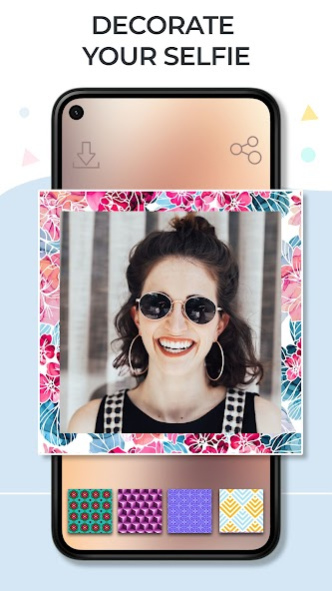

If what you need at the moment is a photo squarer which can help you share a full size selfie, your wish is our command! Please, give a warm welcome to Square Quick Camera, a free no crop app which will make your posts even more attractive to the eye. Your old pics can now shine in full glow, or you can take a selfie anew and add a blurred background or some of the patterns or colors to the back of your pics. Dozens of various options for picture editing are available for free, explore them all and choose those which you like most. When you've finished with making a square picture, save it back to the phone or share on social networks like Instagram, Facebook, Twitter. Square Quick Camera is specially created to suit your needs, don't miss the opportunity and get your no crop photo editor right away!
回 Free square quick camera download for your pics!
回 Insert the pics from the gallery or take a new one!
回 Choose borders or blur the background!
回 Plenty of colors, patterns and interesting backgrounds!
回 Best app to square photos for Instagram!
回 Share on social networks instantly!
回 Save to the gallery!
It certainly is irritating when the apps you use spontaneously crop photos you are about to share. To avoid that, you can make a “full size photo” which will be beautified with a background pattern, or, you could set the same pic and blur it. Find out how easy it is to use this square quick no crop photo app, and you will be overwhelmed with creativity and new ideas. In fact, to add “blur effect” has somehow become the latest trend among youngsters, so keep up with those trends and use Square Quick Camera to change background pictures, have your selfie squared and earn many likes. No need to look for no crop photo editor online, this square app is available here and now as a square quick free download!
✮◎✮⌺✮◎✮⌺✮◎✮⌺✮
Finally a square quick download for smartphones is ready for you free of charge, all you need to do is pick a selfie which you want to share without cropping, employ this “photo squarer” and add color backgrounds or blur effects. If you want your post to be with no crop, and need a square quick photo editor, then this no crop download is just what you're looking for. Make your pics romantic or artistic, “blur background” share the entire picture so that not one detail stays out of picture. Square Quick Camera is not a no crop photo editor online, you download it once and use over and over again! Hurry up, get “photo square app” for free and you won't regret it!
✮◎✮⌺✮◎✮⌺✮◎✮⌺✮
It`s time to go and use this “square quick photo editor download” and be the best in editing! Take a walk with your bff and don't forget to take a picture with your selfie camera, edit it in our no crop photo editor, set it at the back and blur background, and share on your profile. Since it is a no crop download, you can do that on the spot, and this makes your new “square photo editor” one of the top editing apps with “no crop” option. If everyone wants to see your whole picture, well give it to them, use this square quick editor and add photo background behind your image. We know that camera apps are very popular, and photo background changer as one of the camera effects app is a must-have. That is why we created “Square Quick Camera”, take advantage of it and enjoy taking selfies!
About Square Quick Camera
The company that develops Square Quick Camera is Thalia Spiele und Anwendungen. The latest version released by its developer is 1.7.
To install Square Quick Camera on your Android device, just click the green Continue To App button above to start the installation process. The app is listed on our website since 2019-08-06 and was downloaded 0 times. We have already checked if the download link is safe, however for your own protection we recommend that you scan the downloaded app with your antivirus. Your antivirus may detect the Square Quick Camera as malware as malware if the download link to com.thalia.square.quick.camera is broken.
How to install Square Quick Camera on your Android device:
- Click on the Continue To App button on our website. This will redirect you to Google Play.
- Once the Square Quick Camera is shown in the Google Play listing of your Android device, you can start its download and installation. Tap on the Install button located below the search bar and to the right of the app icon.
- A pop-up window with the permissions required by Square Quick Camera will be shown. Click on Accept to continue the process.
- Square Quick Camera will be downloaded onto your device, displaying a progress. Once the download completes, the installation will start and you'll get a notification after the installation is finished.
Program Details
System requirements
Download information
Pricing
Version History
version 1.7
posted on 2019-08-06
- Performance improved
- App optimized
- Thank you for your feedback!
version 1.3
posted on 2017-10-02
- Minor enhancements
- Thank you for using our app, keep the feedback coming
version 1.1
posted on 2016-12-08
- Minor enhancements
Disclaimer
Official Google Play Link
We do not host Square Quick Camera on our servers. We did not scan it for viruses, adware, spyware or other type of malware. This app is hosted by Google and passed their terms and conditions to be listed there. We recommend caution when installing it.
The Google Play link for Square Quick Camera is provided to you by apps112.com without any warranties, representations or guarantees of any kind, so access it at your own risk.
If you have questions regarding this particular app contact the publisher directly. For questions about the functionalities of apps112.com contact us.
